PSSSB Sainik Welfare Organiser Result 2026 Declared — Check Provisional Written Test Result for Advt 09/2025
PSSSB Sainik Welfare Organiser Result 2026 has been officially declared by the Subordinate ServicesSelection Board, Punjab. The provisional result of the written test for the post of Sainik Welfare Organiser (Advertisement No. 09/2025) held on March 14, 2026 is now available. Candidates who appeared in the written exam can check their result now at sssb.punjab.gov.in. Keep your roll number ready before you check.
Key Highlights — PSSSB Sainik Welfare Organiser Result 2026
| Detail | Information |
|---|---|
| Organization | Subordinate Services Selection Board, Punjab (PSSSB) |
| Post Name | Sainik Welfare Organiser |
| Advertisement Number | 09/2025 |
| Exam Date | March 14, 2026 |
| Result Type | Provisional Written Test Result |
| Result Declared On | April 6, 2026 |
| Result Status | Declared — Check Now |
| Official Website | sssb.punjab.gov.in |
| Scorecard Available | To Be Released |
🔴 RESULT IS OUT — CHECK YOURS NOW
Click the link below to check your PSSSB Sainik Welfare Organiser Result 2026 directly on the official website:
👉 [Check PSSSB Sainik Welfare Organiser Result 2026 — Official Link]
| 1 | Result of written examination dated 14.03.2026 for the post of Sainik Welfare Organiser (Advt. 09 of 2025) | April 6, 2026 | View |
| 2 | Final Answer key of written examination dated 14.03.2026 for the post of Sainik Welfare Organiser (Advt. 09 of 2025) | April 6, 2026 | View |
How to Check PSSSB Sainik Welfare Result 2026 Online — Step by Step
Follow these simple steps to check your result right now:
Step 1 — Open the official website
Go to sssb.punjab.gov.in on your phone or computer. Use Chrome or Firefox for best results.
Step 2 — Find the Result Link
Look for “Sainik Welfare Organiser Result 2026” or “Result Advt 09/2025” on the homepage. It will appear in the Latest News or Results section. Click on it.
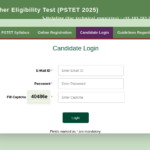
Step 3 — Enter Your Details
Enter your Roll Number and Date of Birth. Your roll number is on your admit card. Date of birth should be in DD/MM/YYYY format.
Step 4 — Check Your Result
Your result will appear on screen. It will show Pass or Fail status. If you passed the written test you will move to the next round.
Step 5 — Download and Save
Click Download to save your result as PDF. Take a screenshot on your phone as backup. Keep it safe — you will need it for the next stage.
✅ TIP: sssb.punjab.gov.in may be slow today due to heavy traffic. Try early morning before 8 AM or late at night after 11 PM. Do not panic — your result will stay online for months.
ℹ️ NOTE: This is a provisional written test result. Official cut off marks will be released by PSSSB separately. We will update this table the moment official cut off is published.